Purpose: This guide shows how to easily add or remove products from your livestream.
Intended Audience: Sellers, Livestream Hosts, Content Managers
Adding/Removing Products to Your Livestream
Step-by-Step: Feature Products in Your Stream
Step 1: Search for Your Product
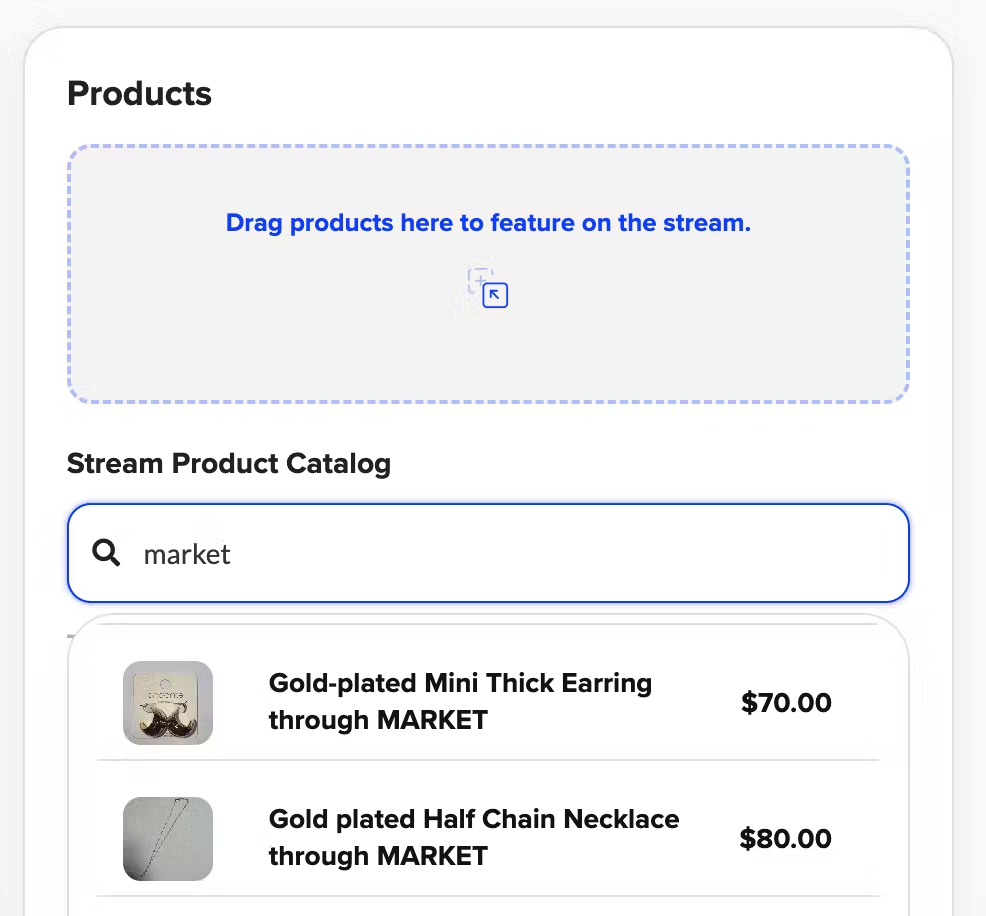
In your livestream setup, locate the Products section and click into the search bar
Start typing the name of the product you'd like to feature.
Step 2: Select the Product
Products with matching or similar titles will appear in a dropdown list.
Click the product(s) you want to add.
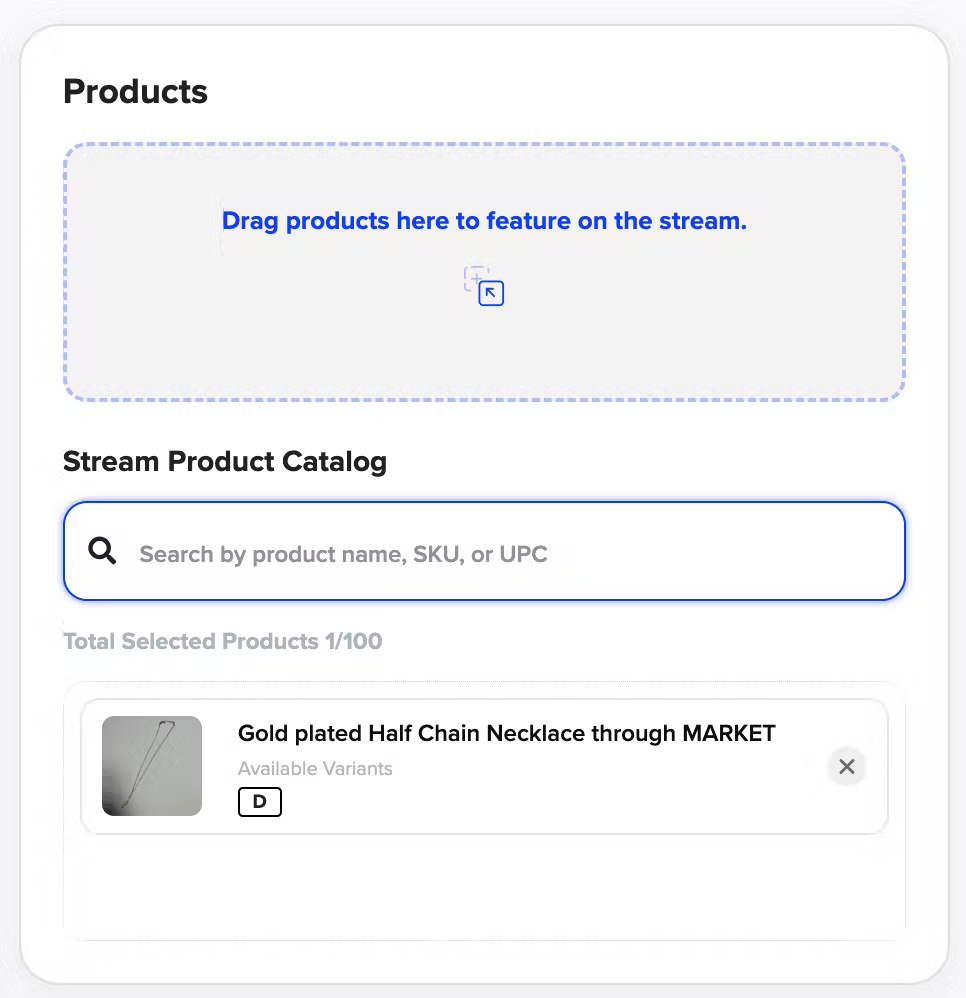
✅ The selected product will now appear in your livestream setup.
Removing a Product
If you need to remove a product from the livestream:
- Simply click the "X" next to the product name.
That’s it — your product list will update instantly!
Have more questions? Reach out to our support team - we’re happy to help!
Happy streaming! ✨
Was this article helpful?