Purpose: This guide shows you how to customize your live stream notifications to align with your brand's voice and tone.
Intended Audience: Ecommerce Managers, Marketing Managers
Branding Your Live Stream Notifications
Step 1: Navigate to Notifications
Log in to your LyveCom Dashboard
Go to Settings > Notifications
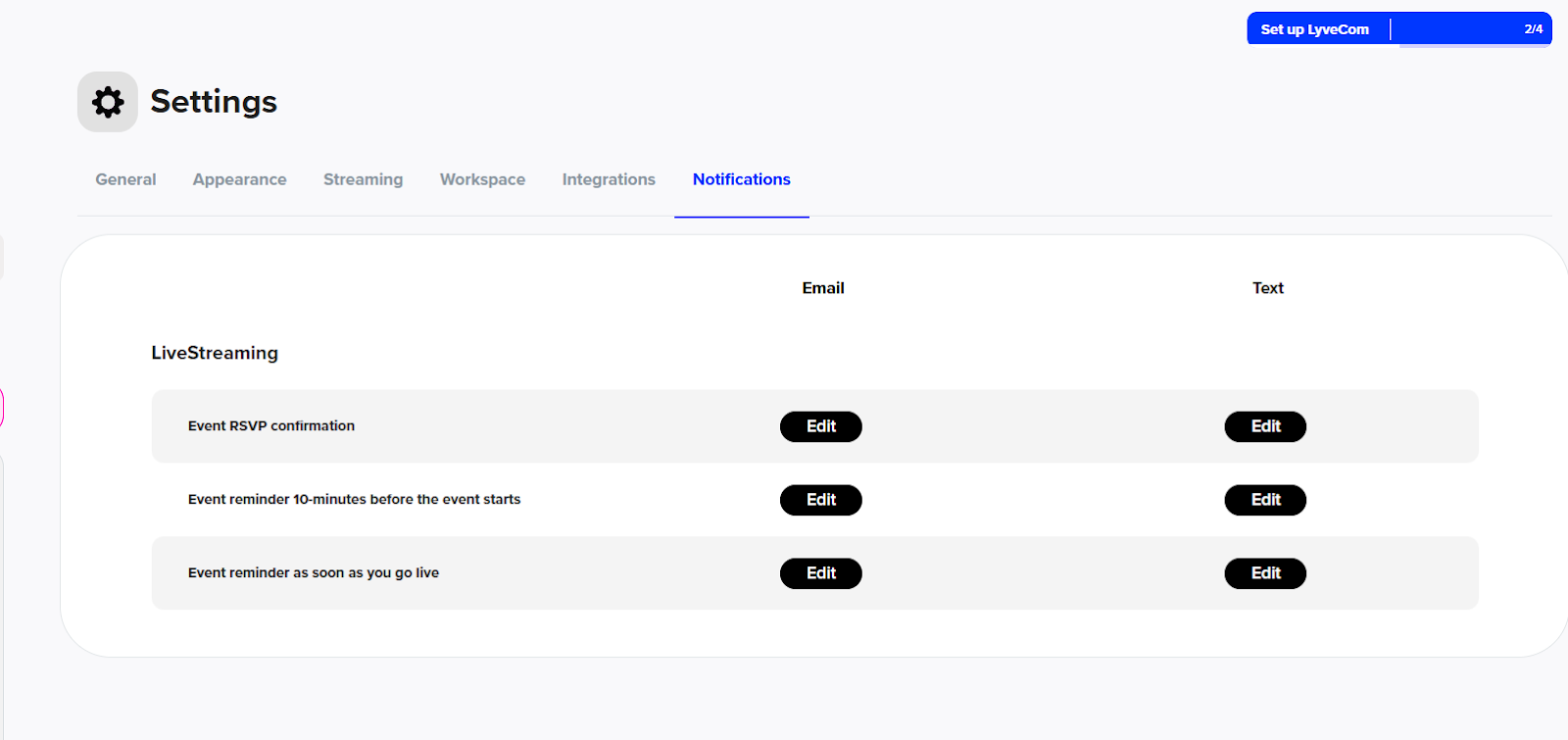
Step 2: Customize Each Notification
Click Edit on each notification type
Adjust the text to match your brand’s messaging and tone
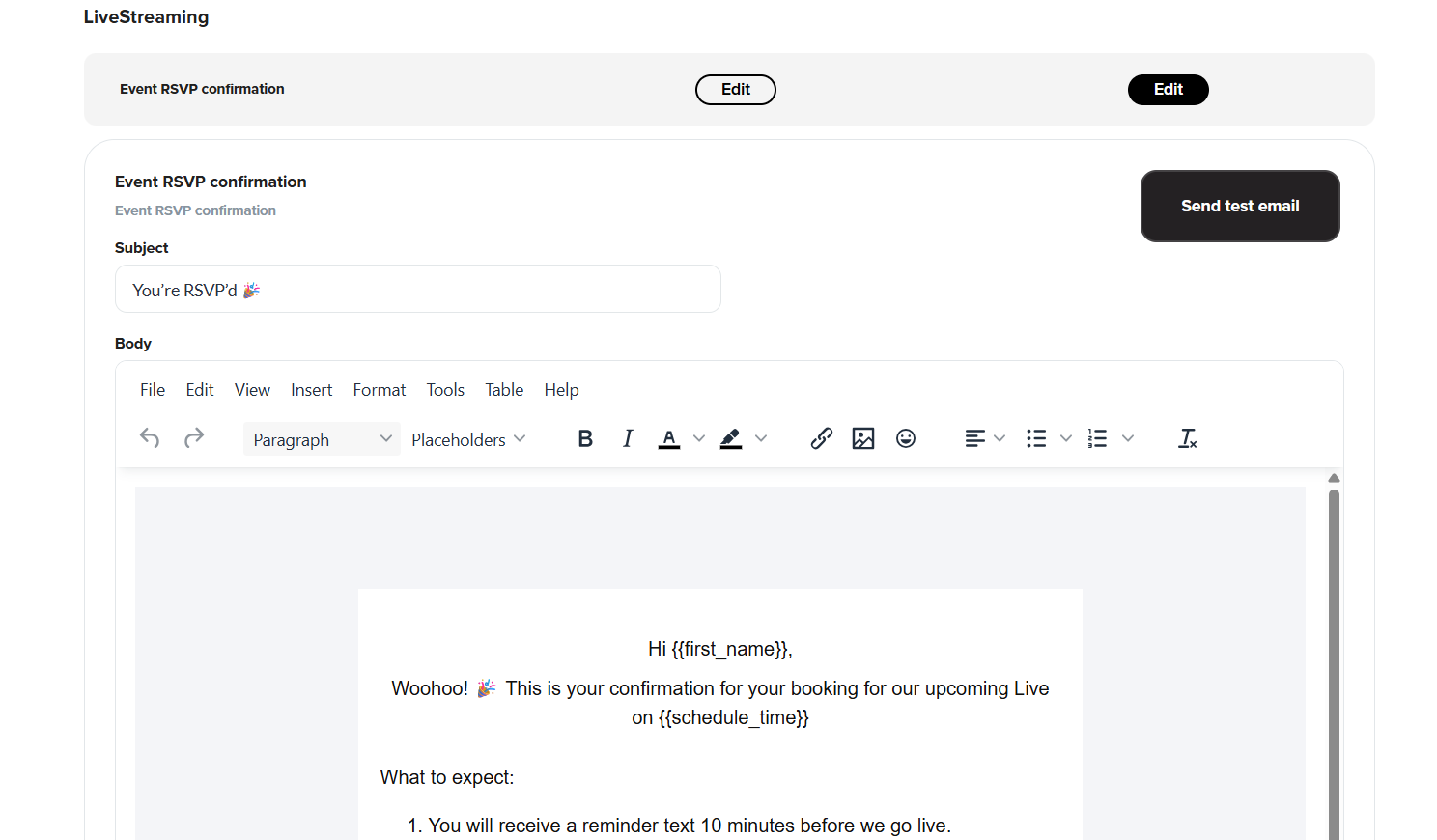
🎉 Your notifications are now on-brand and ready to engage your audience!
Have more questions? Reach out to our support team - we’re happy to help!
Happy streaming!