Creating a Shopify Flow for Monetizated Content
Intended Audience: Ecommerce Managers, Marketing Teams, Content Creators
1. Open Shopify Flow under Apps

2. Select “Create workflow”

3. Select “Select Trigger”
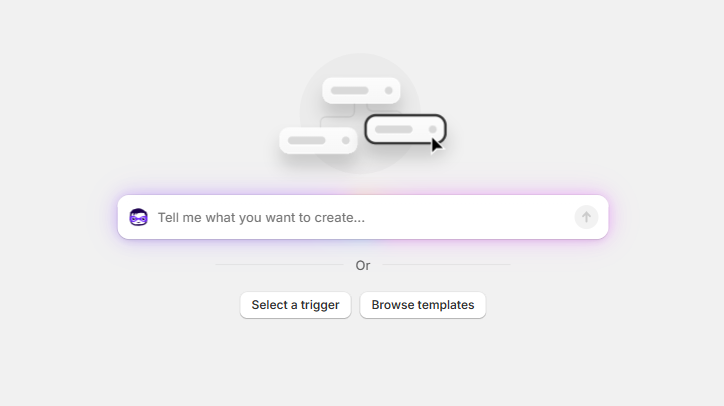
4. Under Select Trigger, type in “Order Paid” and select it in the drop down
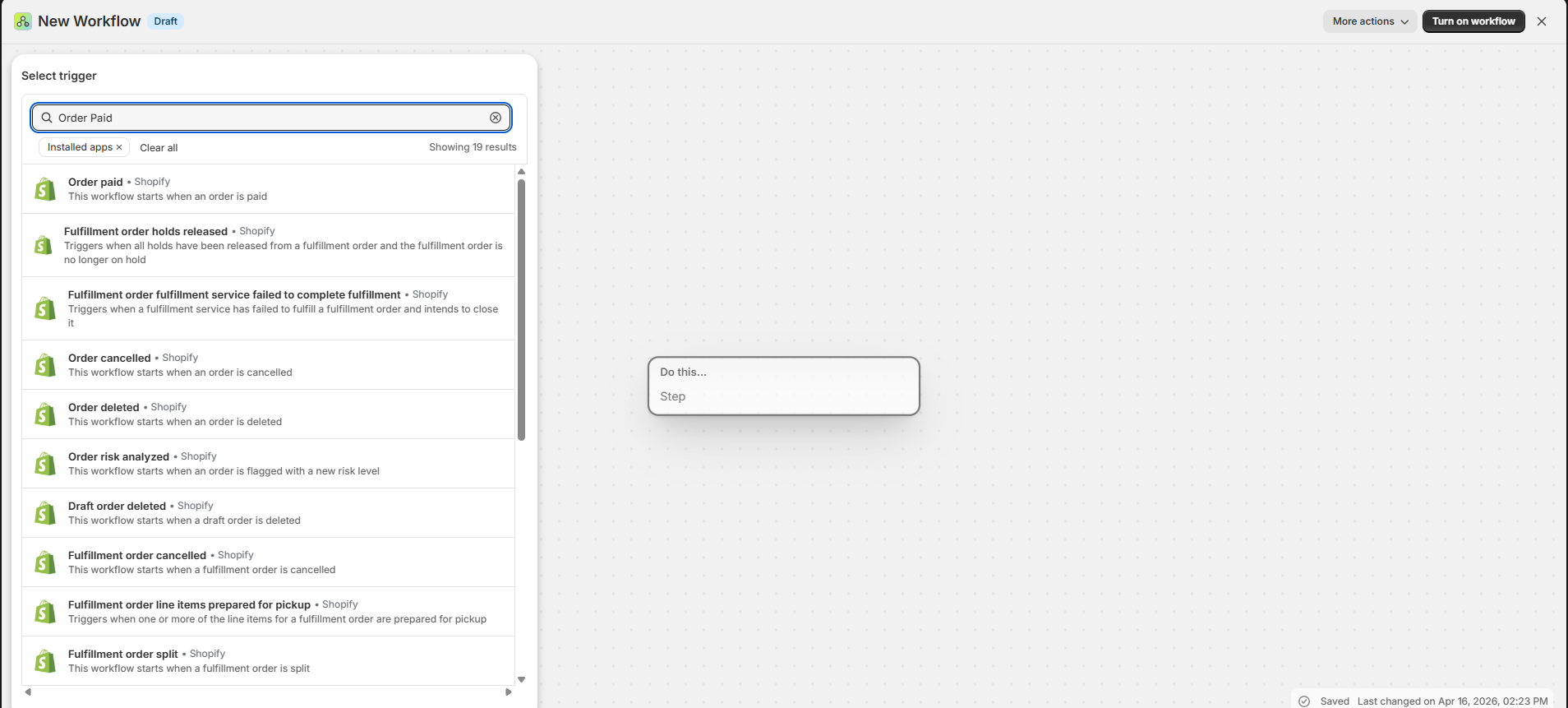
5. Select the “+” under the Order paid in trigger. Then select “Action”
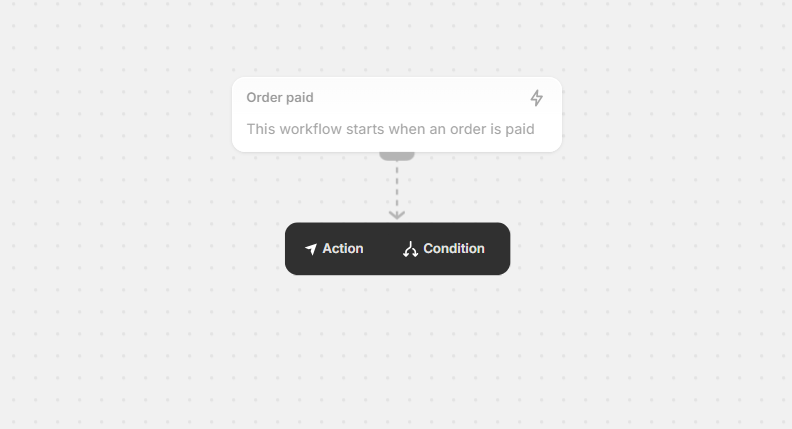
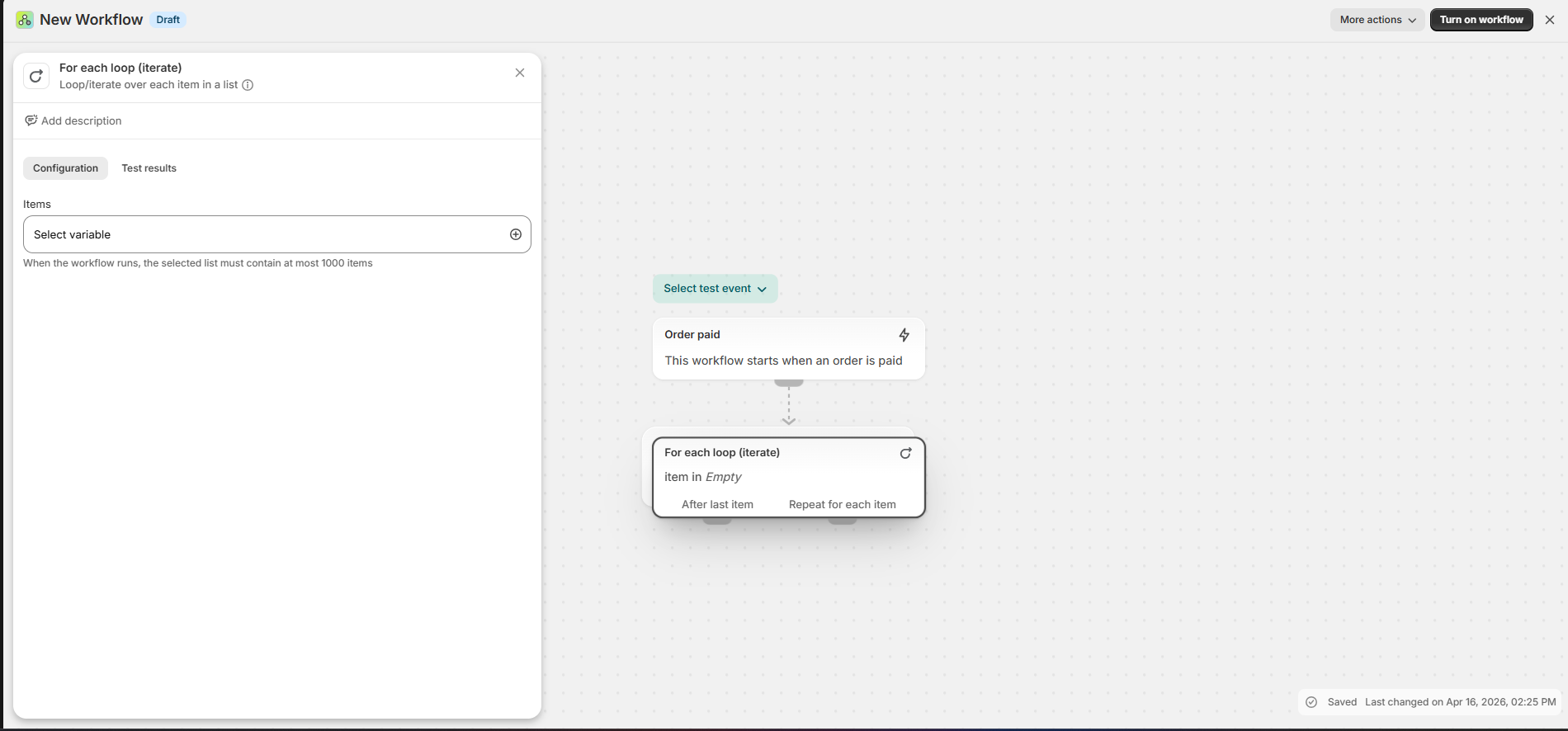
6. Under “Select action on the left, type in “For each loop” and select this from the drop down
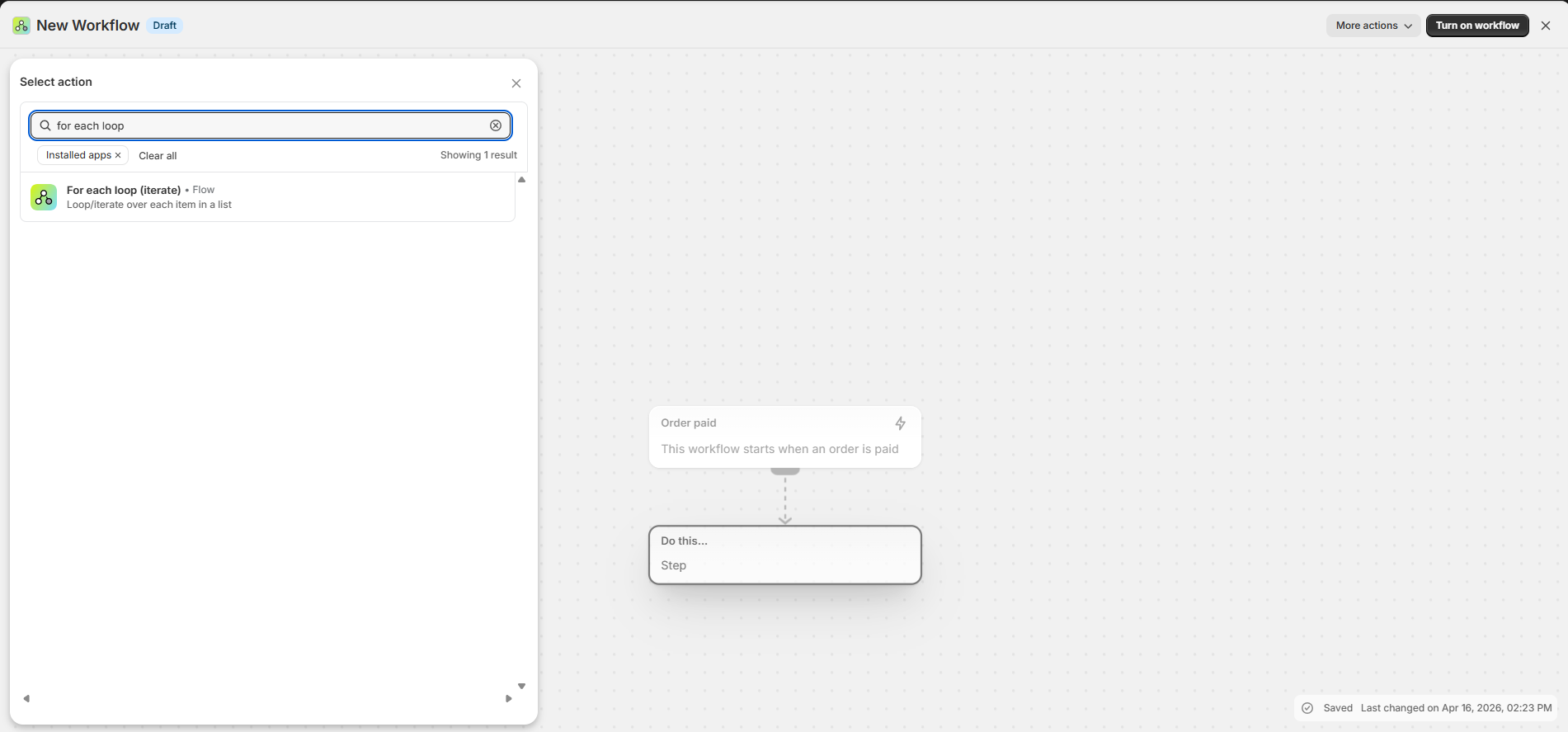
7. Under Items -> Select a variable, type lineitem and select from the drop down
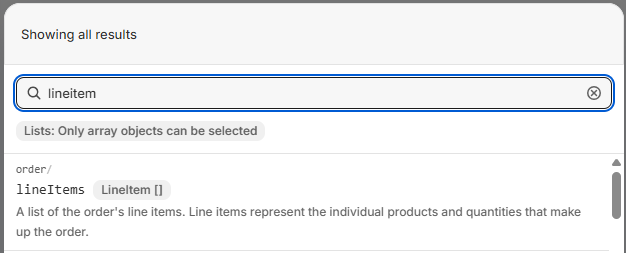
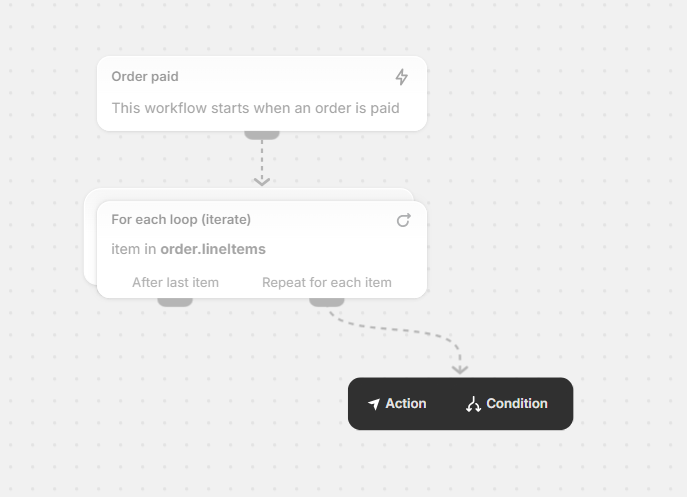
8. Under Repeat for each item, select “Condition”
9. Select “Add a variable” on the left
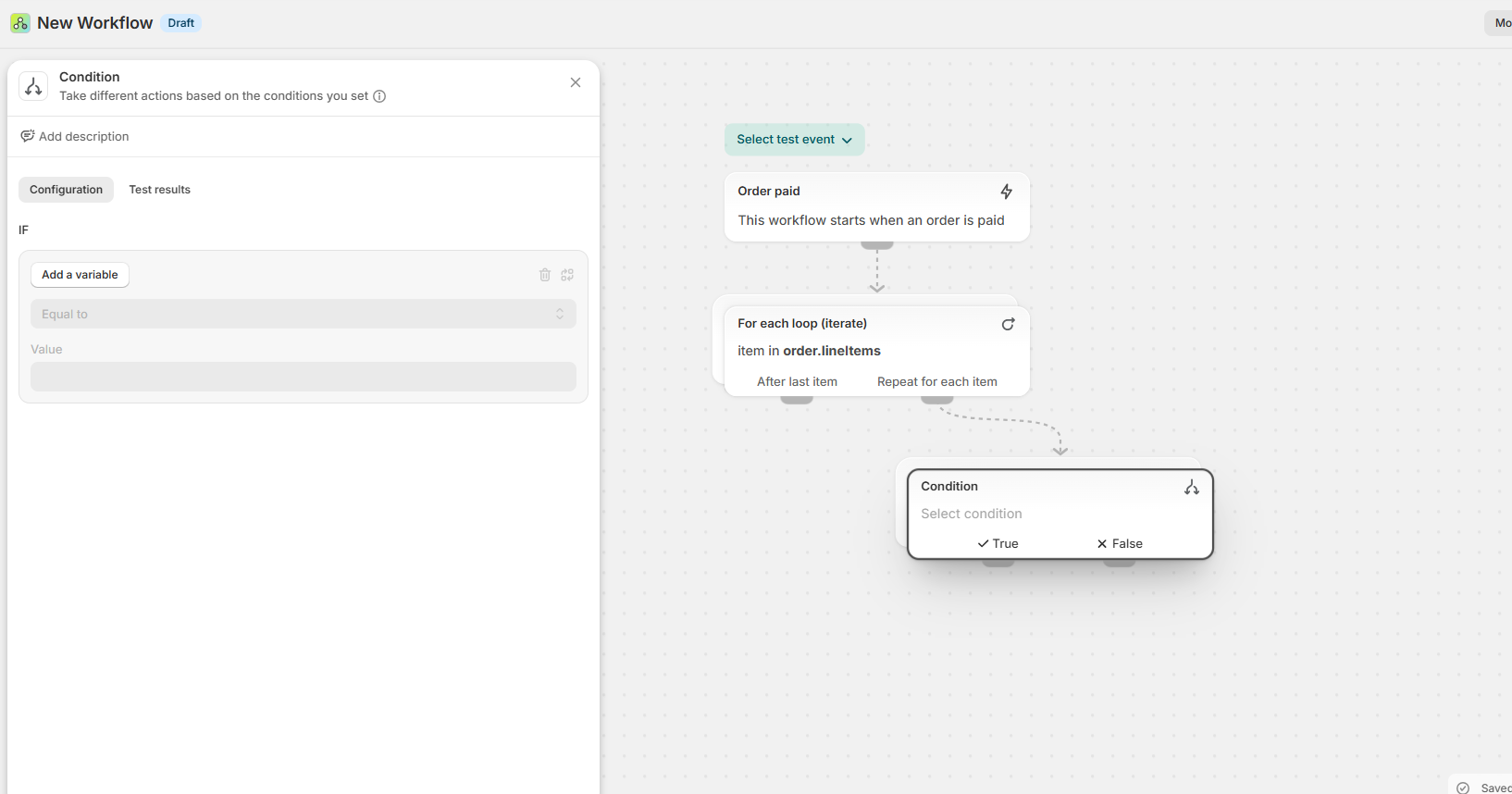
10. Select the “lineitemsforeachitem/product/”
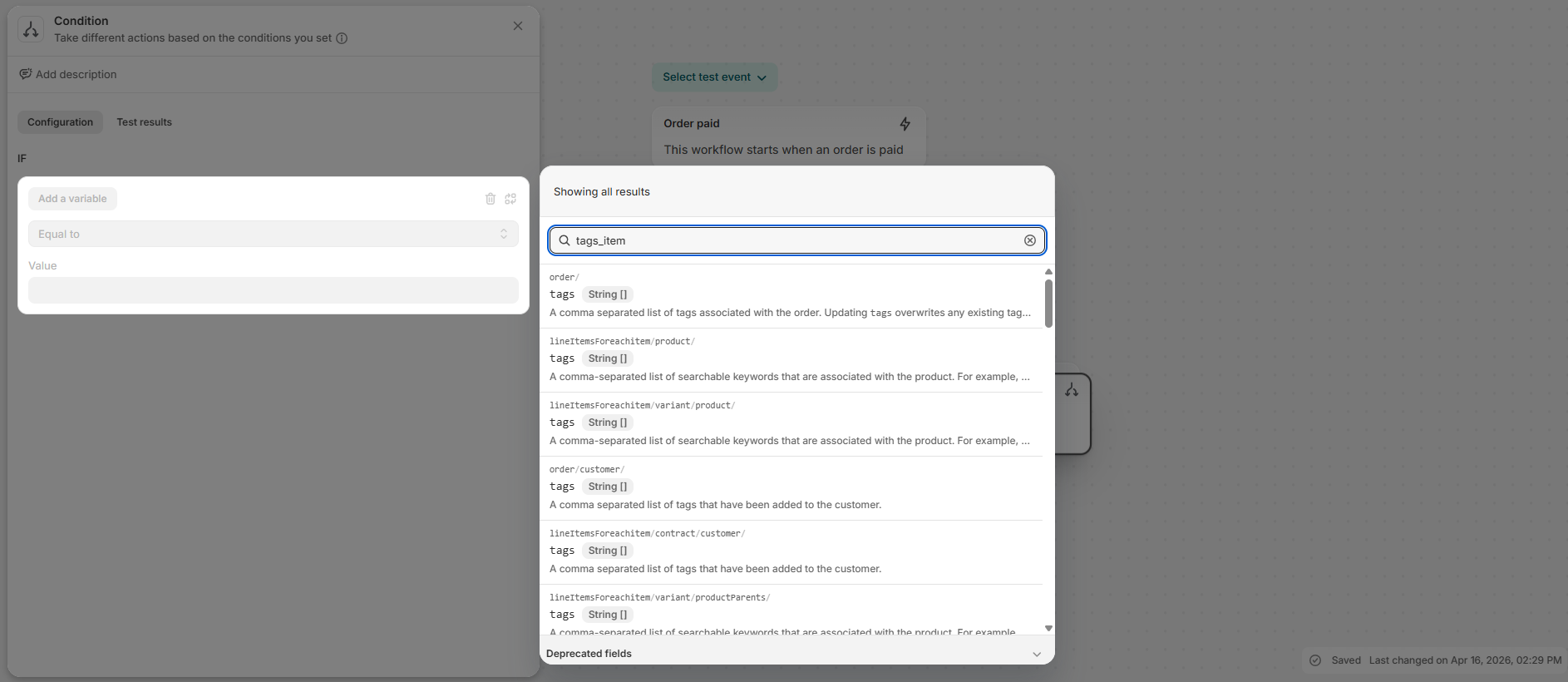
11. Under “Tags Item” on left, select “Includes” and under “Tags Item” type “hero-playlist”. Please note you’ll need to create a product with this tag as well that you want to sell as the digital product to allow customers to unlock this product.
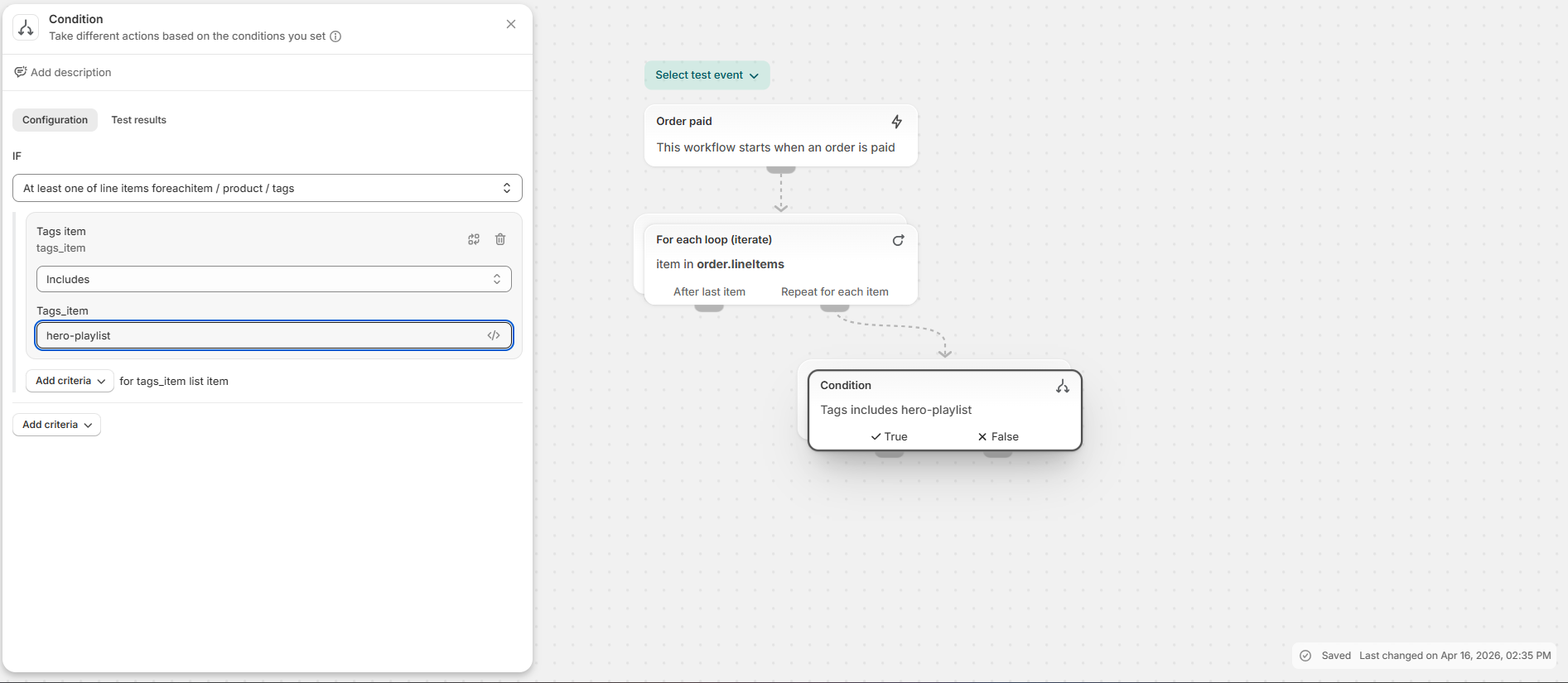
12. Under Conditons in the middle, select the + under “True”
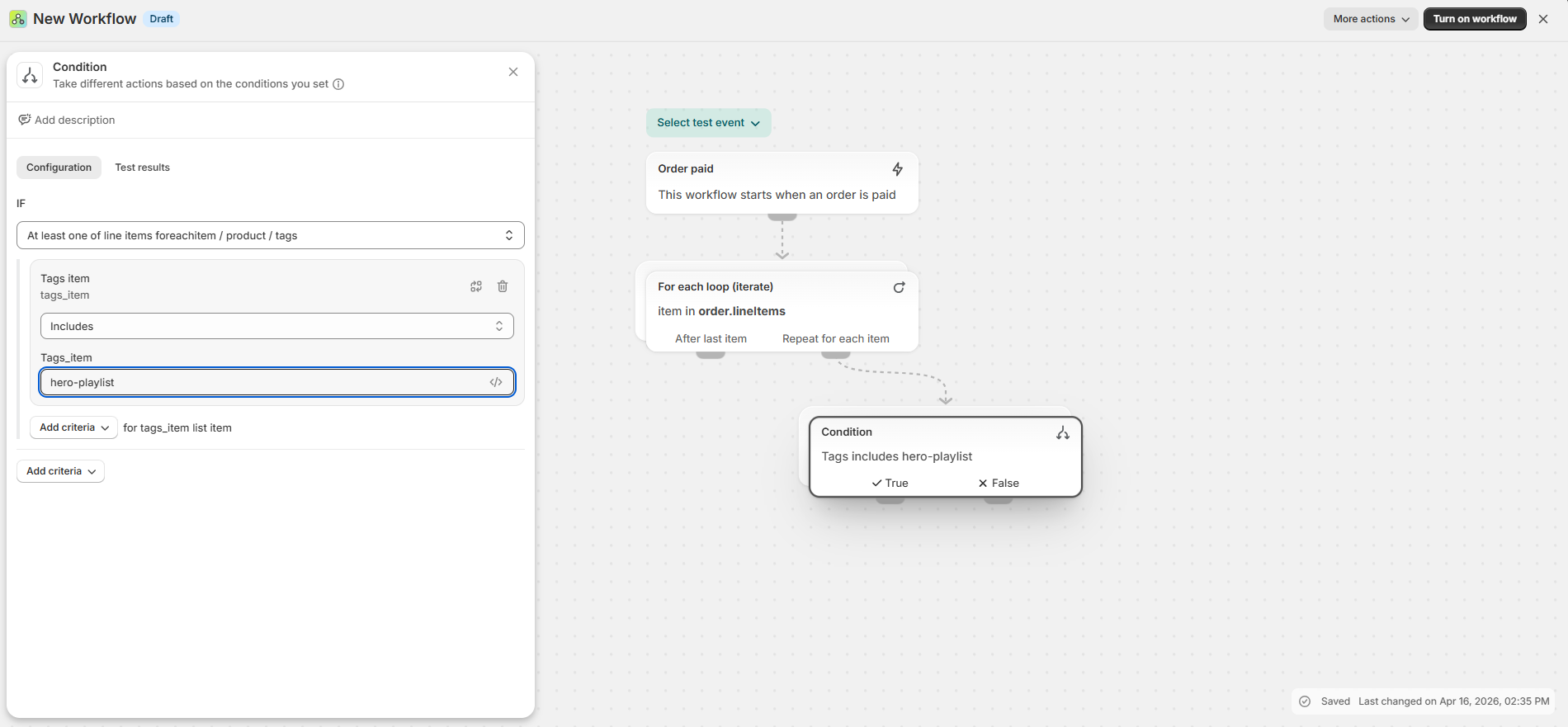
13. Select “Action”
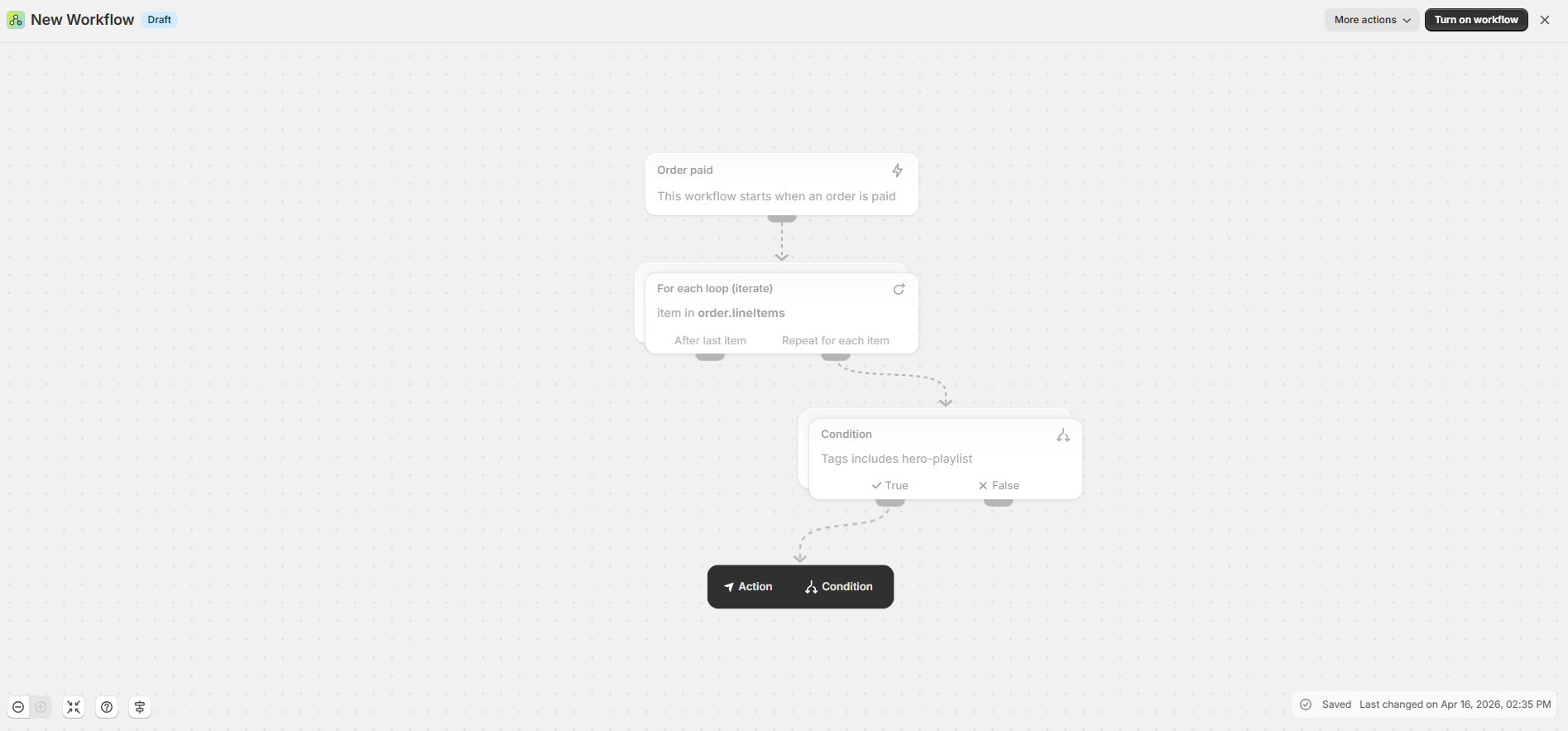
14. Type “Add customer tag” and select it from the drop down
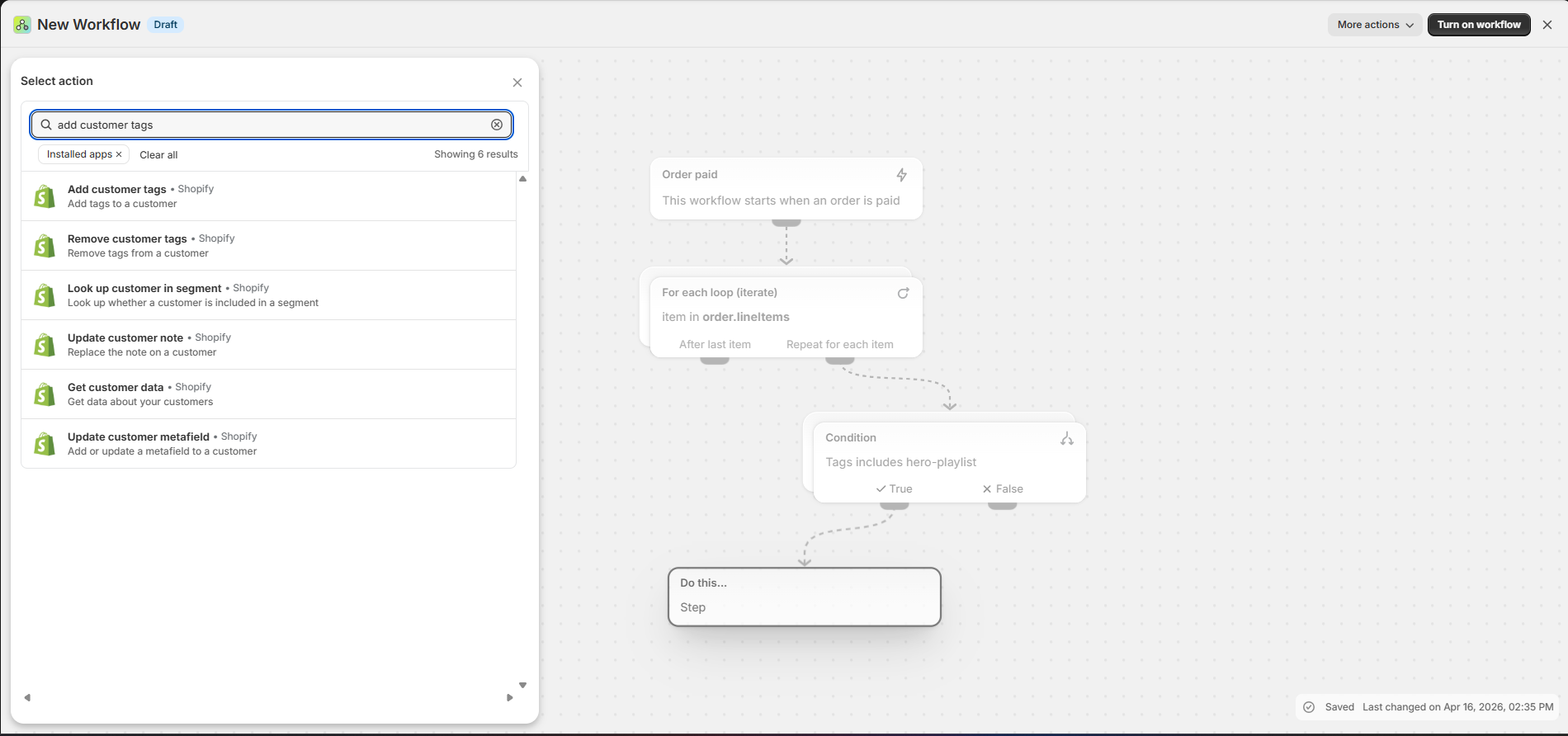
15. Type in {{lineItemsForeachitem.product.handle}} under tags
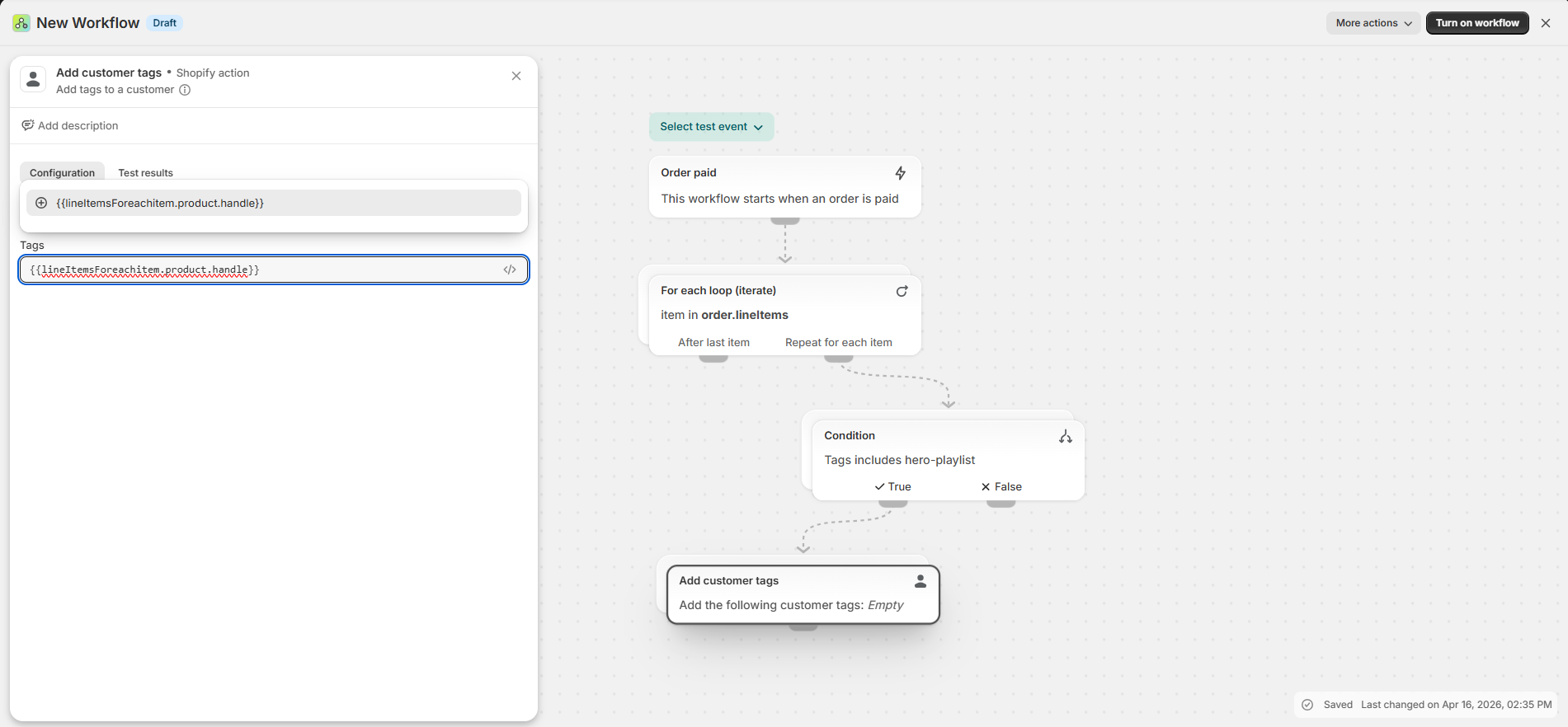
16. Select “Turn on workflow” in the upper right corner
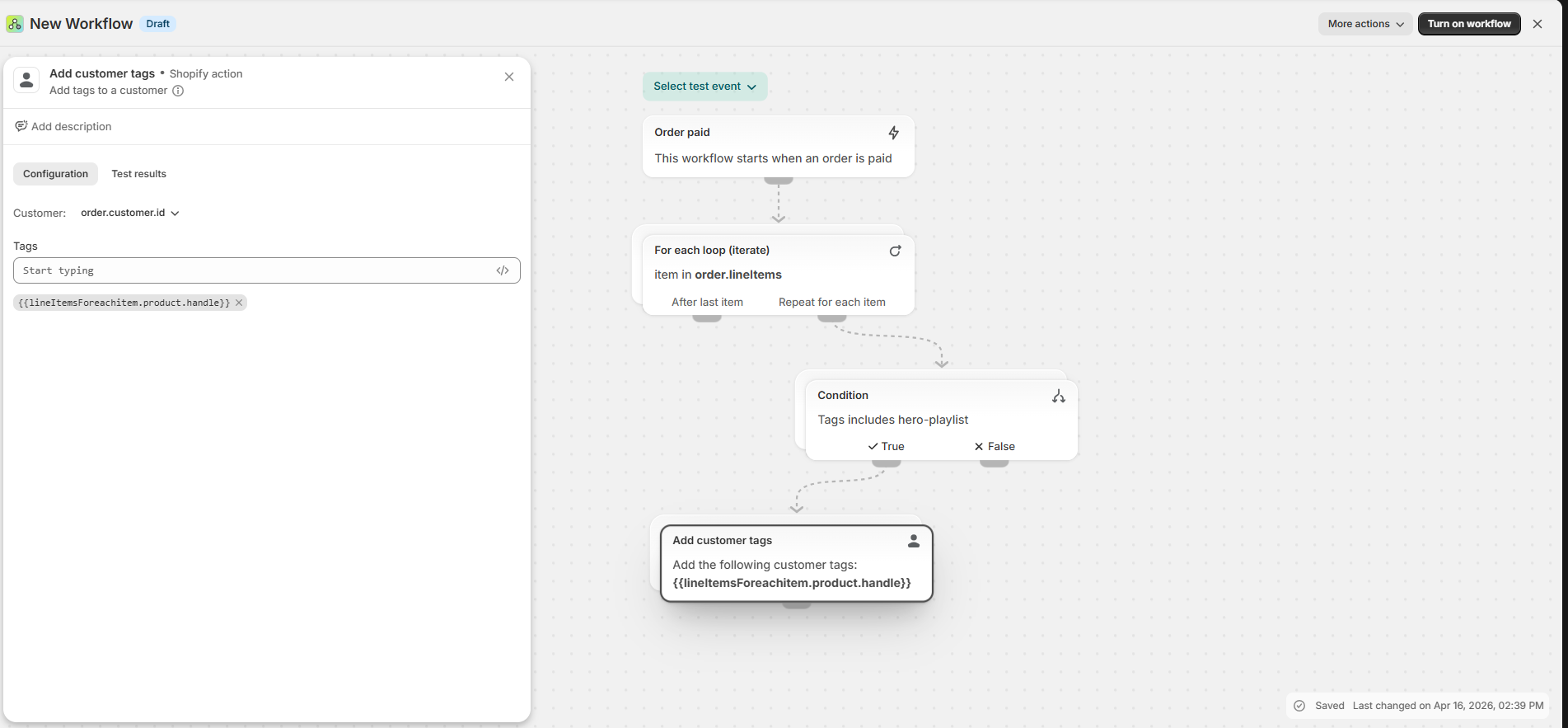
Now lets create the product you want to sell to unlock the content
1. Go to Shopify -> Products
2. Select “Add Product” in the upper right corner
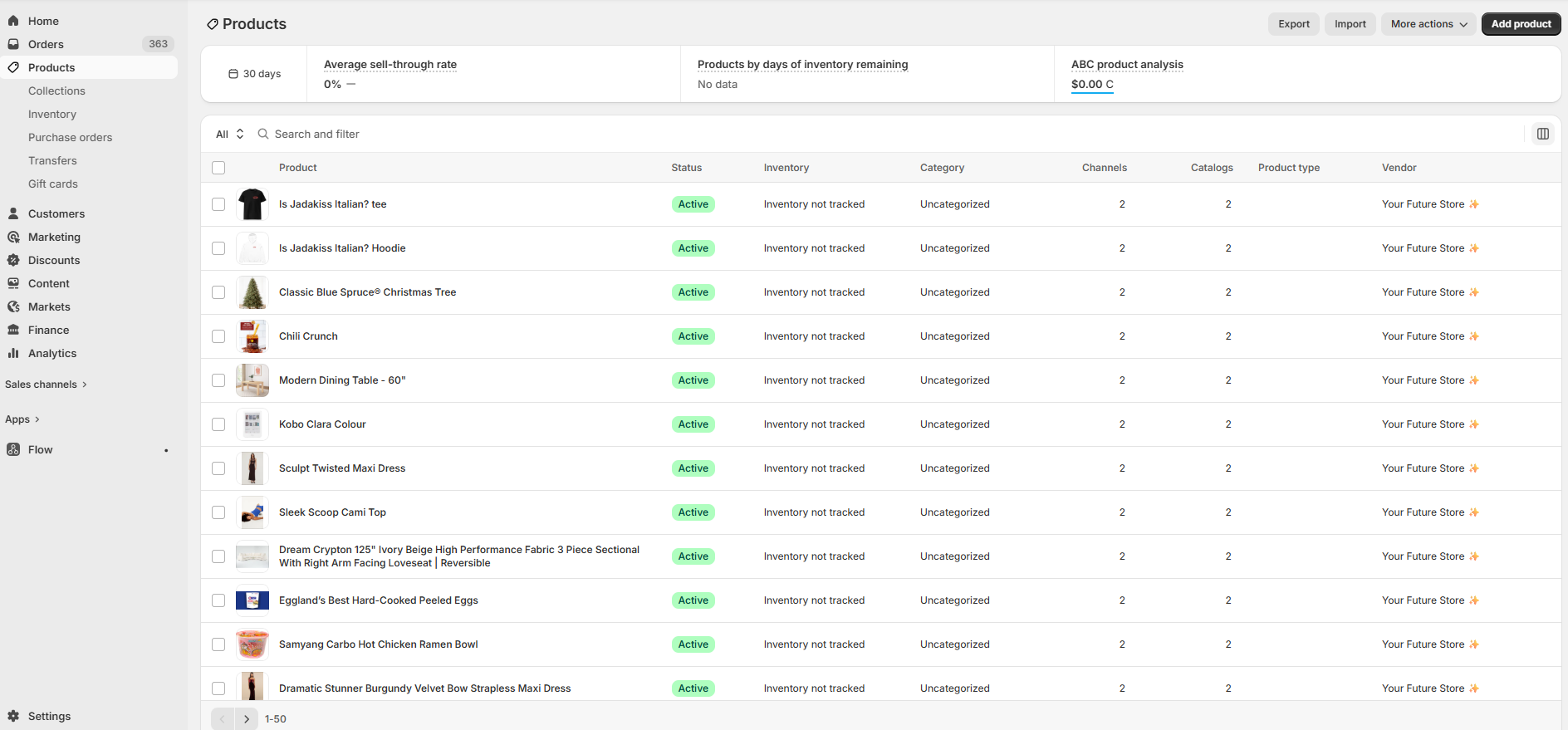
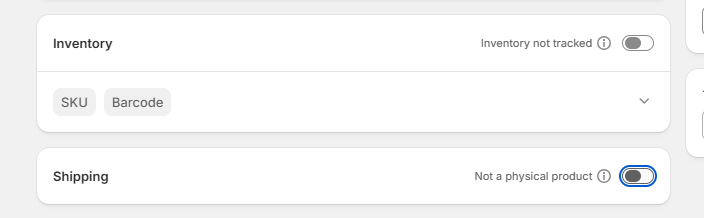
3. Add title, description and price. Then make sure “inventory not tracked” and “Not a physical product” are turned off
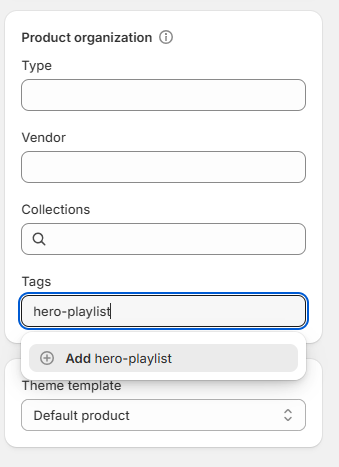
4. Under tags, type in “hero-playlist” and select it
5. Select save on the top of the screen

You are now ready to monetize your content! To learn how to create a hero playlist to add monetized content, check out - https://lyvecom.gorgias.help/en-US/creating-your-first-hero-section-playlist-5702333
Have more questions? Reach out to our Support Team by clicking “Get Help” in the bottom right hand corner - we’re happy to help!
Happy selling!
Was this article helpful?