Purpose: To help merchants personalize their storefront by embedding a floating founder or announcement video that greets visitors and builds immediate trust.
Audience: DTC brands, founders, and ecommerce managers who want to create a personal shopping experience and make their site feel more human and engaging.
How to Add a Floating Founder Welcome Video to Your Store
Give your site a personal touch by greeting shoppers with a floating video—perfect for founder intros, promos, or announcements.
What You’ll Need:
A published video in your LyveCom Library
Access to your Shopify theme code (Theme.liquid)
Step-by-Step Instructions
1. Create a Playlist for Your Welcome Video
-
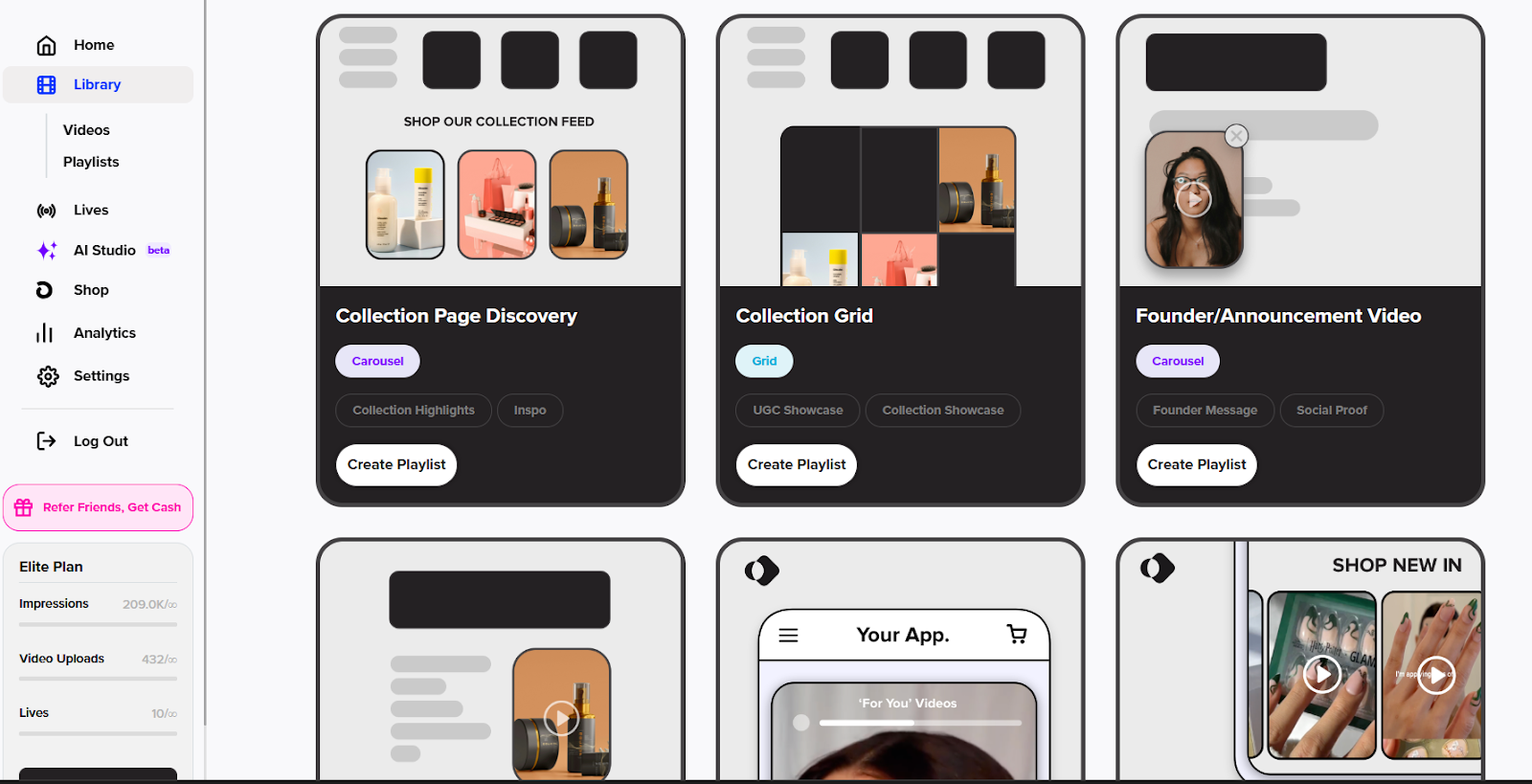
Go to Library → Playlists
Click Create New Playlist

Choose Founder/Announcement Video as the type
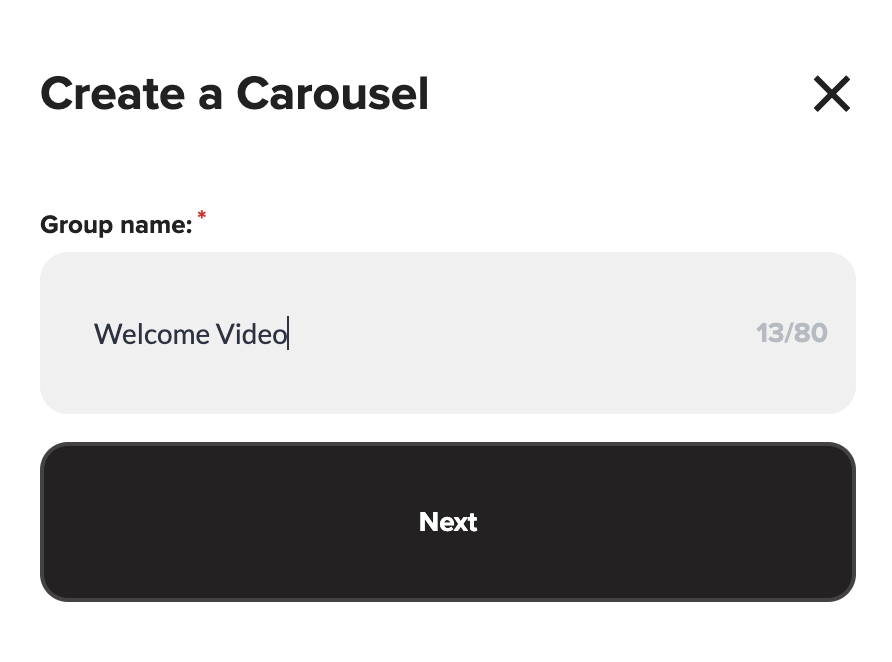
Name your playlist (e.g. "Welcome Video")
2. Select and Publish Your Video
-
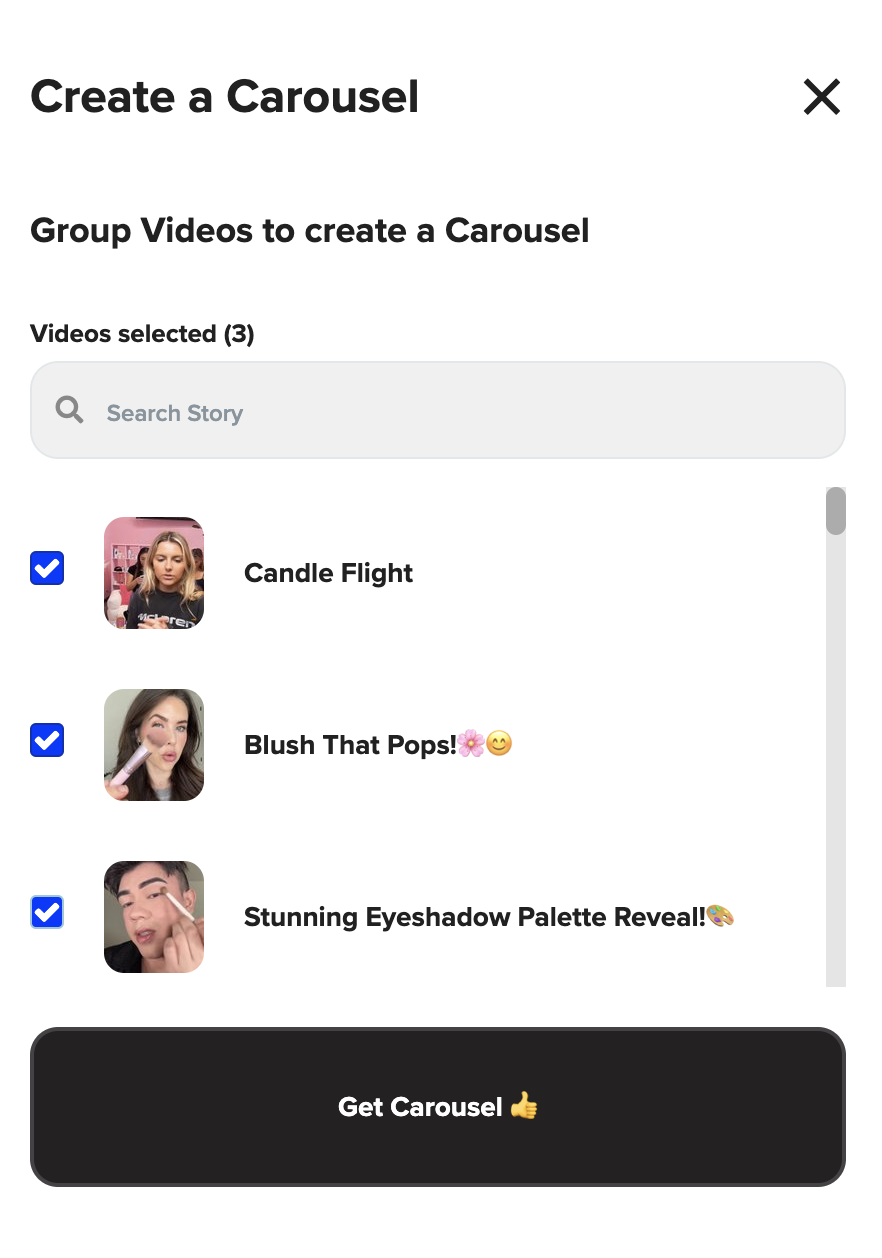
Choose the video you want to feature
Click Get Carousel
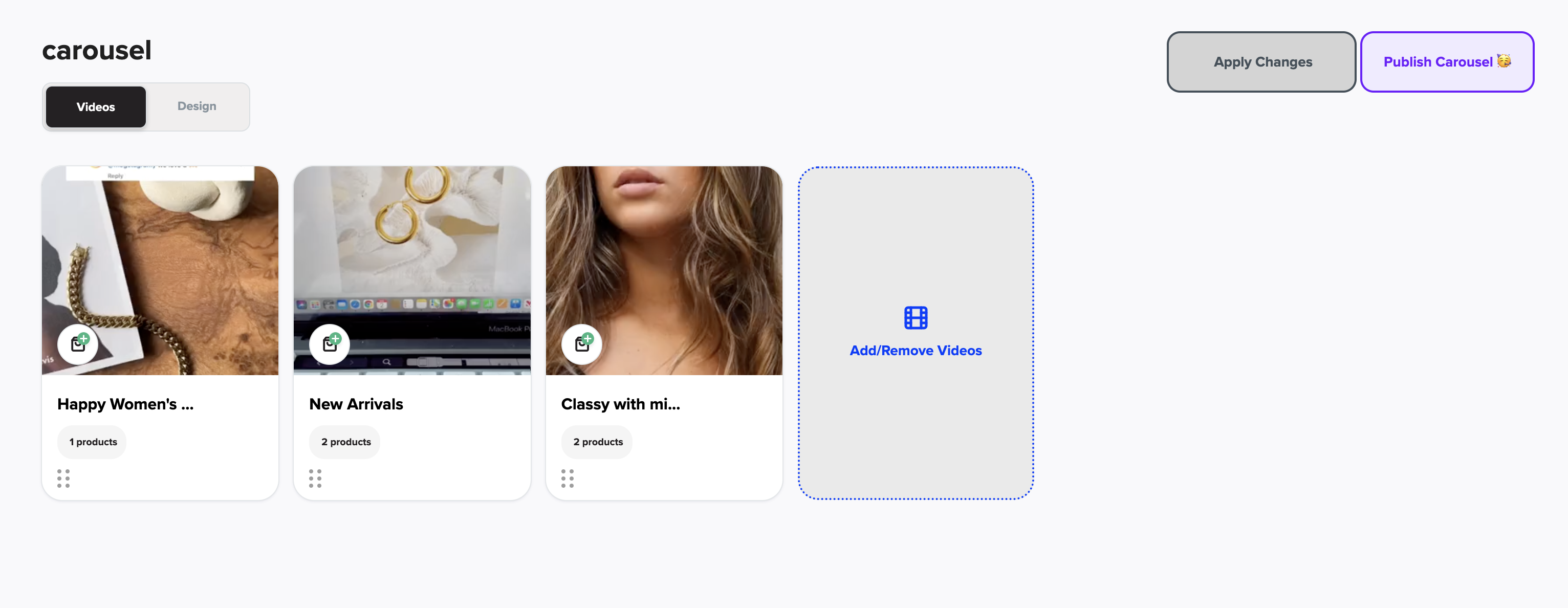
Then click Publish Carousel
3. Enable the Floating Widget
-
Navigate to Floating Widget in LyveCom
Click Copy Code (this is the embed script for your video)
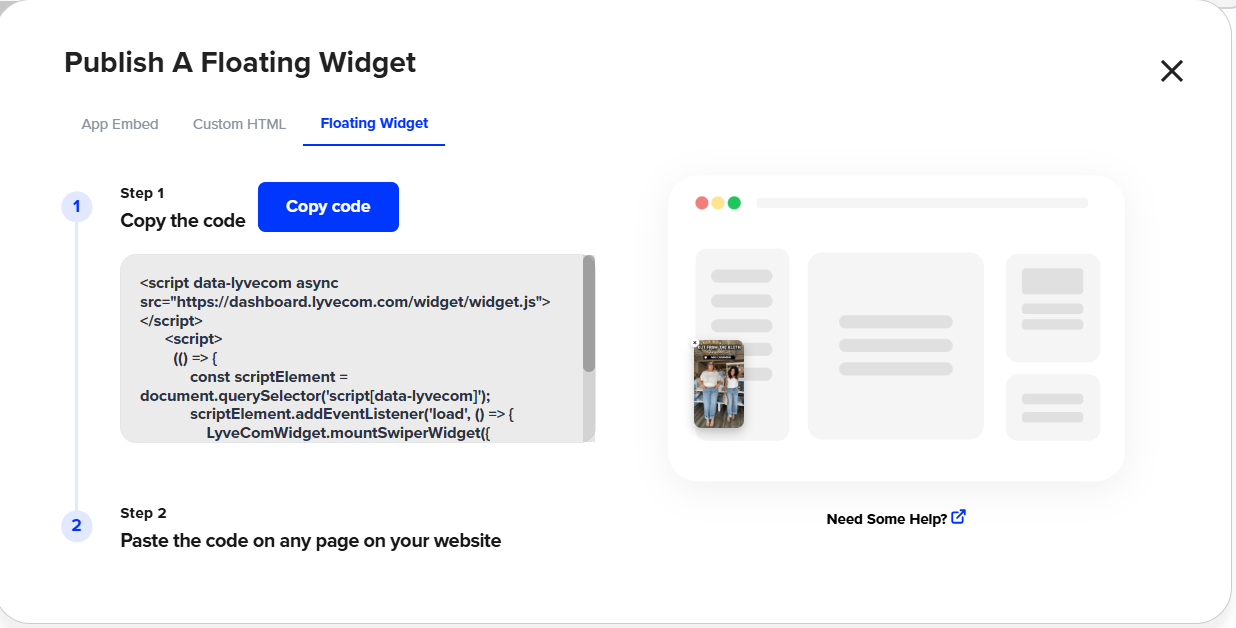
4. Add the Code to Your Shopify Theme
-
Go to Shopify → Online Store → Themes → Edit Code
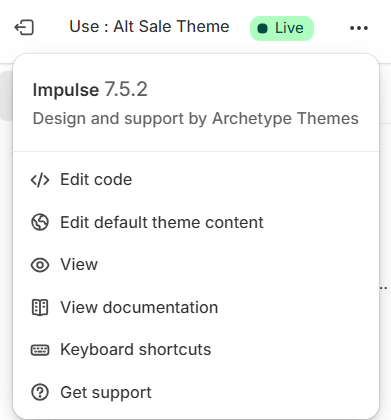
Open theme.liquid
Scroll to the bottom and paste the code just above
</body> 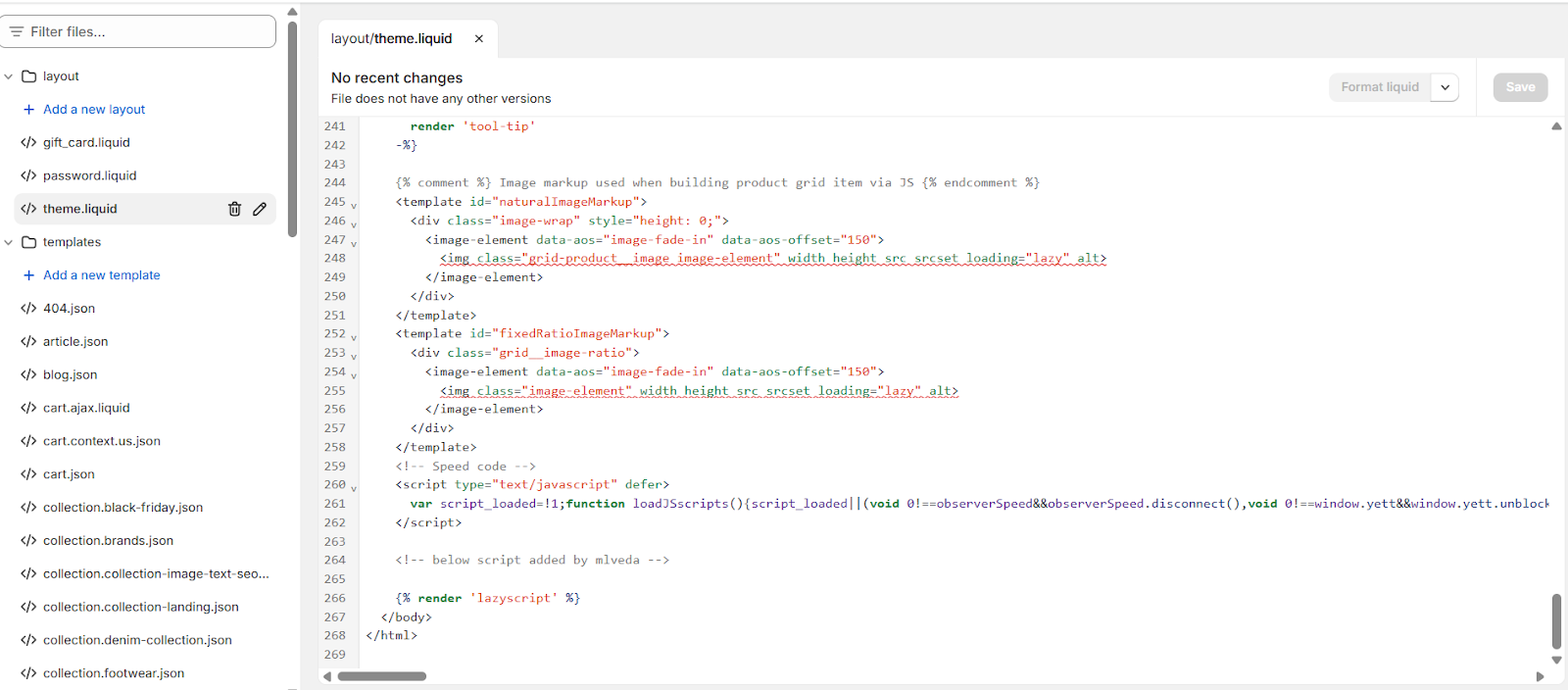Click Save
Pro Tip:
Want to test the placement? Paste the code, preview the site, and adjust if needed before publishing live.
Now you’re ready to welcome every visitor with a personal video touch—building trust and boosting conversions from the very first click.
Have more questions? Reach out to our support team - we’re happy to help!
Happy selling! ✨
Was this article helpful?